If you're searching for the difference between a tool and a system, you're probably frustrated by a familiar pattern: you adopted a new app, set it up with good intentions, and within a few months it became another layer of clutter instead of the solution it was supposed to be.
The issue isn't the tool. It's that tools and systems solve different problems — and most teams need a system but keep buying tools.
A tool gives you capabilities: create a task, write a document, build a table, design a board. It answers the question: where do I put this?
Notion, Asana, Monday, Trello, Google Sheets — these are all tools. They provide containers and interfaces. They don't tell you what to put in them, how to organize it, or when to maintain it.
A tool works fine when one person uses it for their own needs. It starts failing when multiple people need to share it — because tools don't enforce consistency.
A system isn't software. It's a set of decisions about how work is structured, owned, prioritized, and maintained.
A system answers:
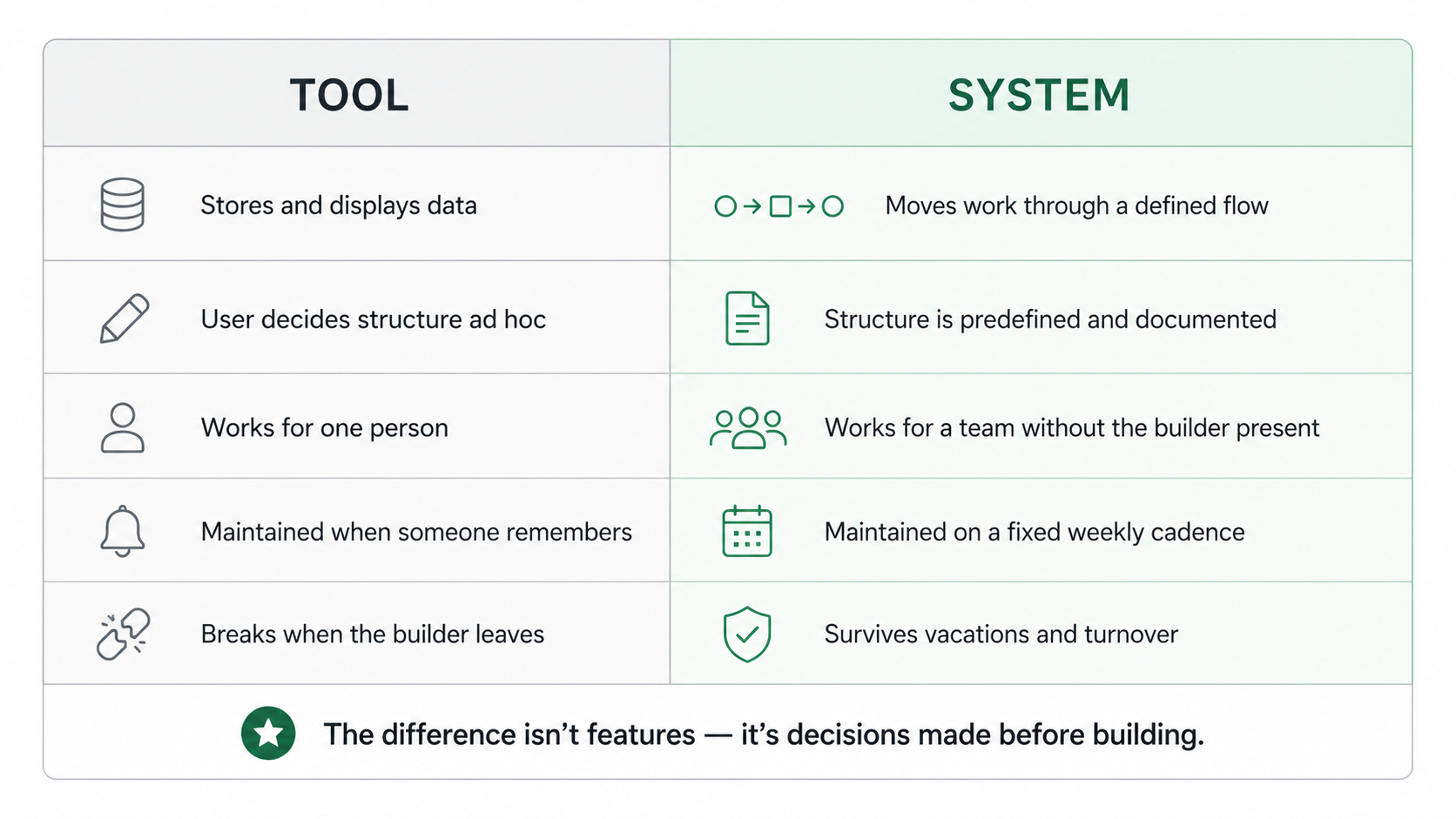
A tool is like a kitchen. A system is like a recipe. You can have the best kitchen in the world, but without recipes and routines, dinner is chaos every night.
Here are five diagnostic questions:
1. Can a new team member figure out how it works in 30 minutes?
If the answer is no — if they need a 2-hour walkthrough from the person who built it — you have a personal tool, not a team system.
2. Does it survive vacations?
When the person who set it up takes a week off, does the team keep using it correctly? Or does it drift into disuse within days? A system survives the absence of its creator. A tool doesn't.
3. Are the rules written down?
Is there a one-page document explaining: what the databases are, what the statuses mean, who updates what, and how the weekly review works? If the rules are only in someone's head, it's a tool.
4. Does it surface problems automatically?
A tool requires you to go looking for issues. A system surfaces them: overdue tasks, stale projects, deals with no next step, SOPs that need review. If you have to actively search for problems, you have a tool.
5. Is there a maintenance cadence?
A system has a scheduled review: weekly triage, monthly cleanup, quarterly audit. A tool gets maintained "when someone remembers" — which is never enough.

Notion's flexibility is both its superpower and its trap. Unlike opinionated tools (Asana forces you into projects and tasks, Pipedrive forces you into deals and stages), Notion doesn't force you into anything.
This means:
The difference isn't in the features you use. It's in the decisions you made before you started building.
List the 3–5 things your business needs to track. Each one gets exactly one database. No duplicates, no "we'll figure it out later."
Every project has one owner. Every task has one assignee. Every deal has one person responsible. The ownership model is what turns passive storage into active management.
One sentence: "Requests enter the Inbox, get triaged Monday, are executed as tasks within projects, and reviewed Friday."
If you can't write this sentence, you don't have a workflow yet. Define it before building.
Views aren't for browsing. They're for deciding:
30 minutes every Friday: triage Inbox, close completed work, surface stale items, confirm next week's priorities. Put it on the calendar. Make it non-negotiable.
Create a one-page SOP: "How our system works." Include: what the databases are, what each status means, who updates what, and how the weekly review runs. Store it in your Knowledge Base.
This one page is the difference between a system that scales with your team and a tool that depends on one person's memory.
Tools give you capabilities. Systems give you outcomes. If your team needs predictable execution, reliable data, and clear accountability — you need a system, not another tool.
If you want Notion to run like an operational system instead of an elaborate personal notebook — explore how UniFrame provides the structure behind the tool.


.jpg)
.jpg)