If you're searching for clarity on why Notion is not the solution, you've probably already experienced the disappointment: you built the workspace, created the databases, designed the dashboard — and work still feels chaotic.
That's because Notion is a tool. And tools don't fix operational problems. Systems do.
The distinction matters because it changes what you build and how you think about it.
Notion's greatest strength is flexibility. You can build anything. And that's exactly the problem.
A spreadsheet forces you into rows and columns. A project management tool forces you into tasks and boards. Notion forces you into… nothing. It gives you a blank canvas and says "build whatever you want."
This means:
The tool didn't cause the mess. But it also didn't prevent it. Notion amplifies whatever operational maturity you bring to it.
A system isn't a collection of databases. It's a set of decisions about how work moves through your organization.
Specifically, a system answers four questions:
1. What are the entities?
What things does your business track? Projects, Tasks, Deals, Clients, SOPs. Each entity gets one database — no more, no less.
2. What are the rules?
Who owns what? How is work prioritized? When does a task become a project? What happens when a deal is won? Rules are the governance layer that prevents chaos.
3. What's the workflow?
How does work flow from request to completion? Intake → Triage → Execute → Review. If you can't draw this flow in one sentence, you don't have a workflow — you have improvisation.
4. What's the cadence?
How often do you maintain the system? A weekly execution review. A weekly pipeline review. A monthly knowledge review. Without cadence, every system decays into a graveyard of outdated data.
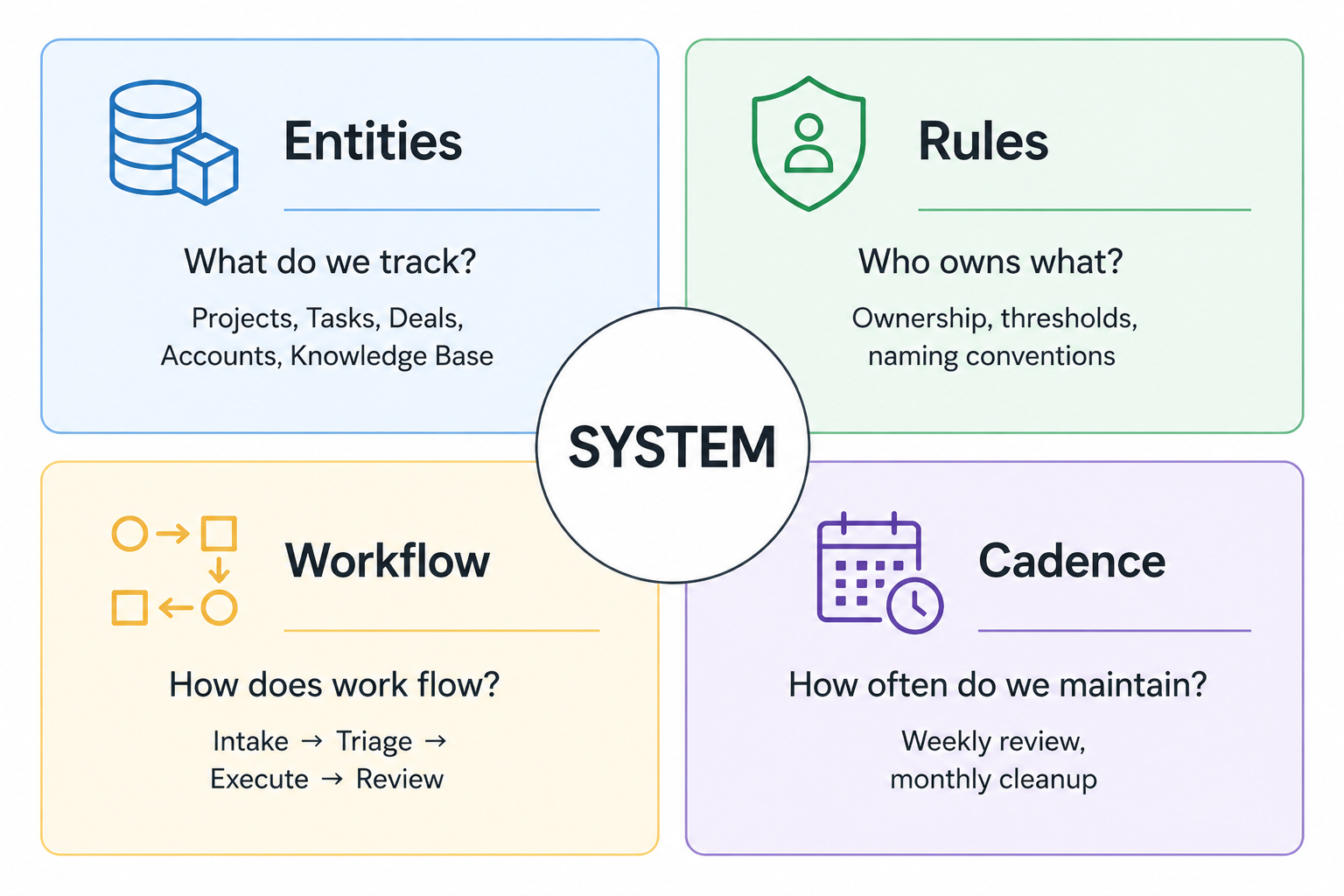
Notion is where you implement this system. But the system exists in your operational decisions, not in your database properties.
A workspace is a tool when:
A workspace is a system when:
Most workspaces start as systems and evolve into tools. The fix is recognizing the drift and resetting.
The clearest test of whether you have a system or just a tool: if you disappeared for a month, would the team keep using it correctly?
If the answer is no — if the system depends on one person's knowledge of where things live, how properties work, and which views to check — then you have a personal tool, not a business system.
A system is self-explanatory. The views tell you what to look at. The workflow tells you what to do next. The rules tell you how to categorize and assign. Anyone on the team can open it Monday morning and know exactly what to work on.
Before touching Notion, list the 3–5 things your business tracks operationally. For most companies: Projects, Tasks, Accounts, Deals, Knowledge Base. Each gets one database.
"Work arrives via Inbox, gets triaged weekly, is executed as tasks within projects, and reviewed every Friday."
If you can't write this sentence, you're not ready to build. Clarify the workflow first.
Every property, relation, and view must serve the workflow. If it doesn't power a weekly routine, don't build it. You can always add it later when there's a real need.
Create a recurring event: "Friday 30-min review." Use it to triage the Inbox, close completed work, surface stale items, and confirm next week's priorities. This is the engine that keeps the system alive.
Write a one-page "how this system works" guide: what the databases are, what the statuses mean, who owns what, and how the weekly review works. Put it in your Knowledge Base. This is what makes it a system instead of one person's setup.
Notion is a powerful tool. But a powerful tool without a system behind it is just a more flexible way to create chaos.
If you want Notion to support your operations instead of becoming expensive digital clutter — explore how UniFrame provides the system behind the tool.


.jpg)
.jpg)