If you're searching about replacing spreadsheets with a unified system, you're probably not unhappy with spreadsheets themselves. You're unhappy with what happens when spreadsheets are the only system: data lives in copies, status is a conversation, and nobody trusts the numbers.
This case study breaks down what actually changes when a team moves from spreadsheets to a database-driven system in Notion — and what stays the same.
Before replacing anything, it's worth acknowledging what spreadsheets are good at:
The problem isn't spreadsheets for analysis. The problem is spreadsheets as the operational system — tracking projects, managing clients, running pipelines. That's where they break.
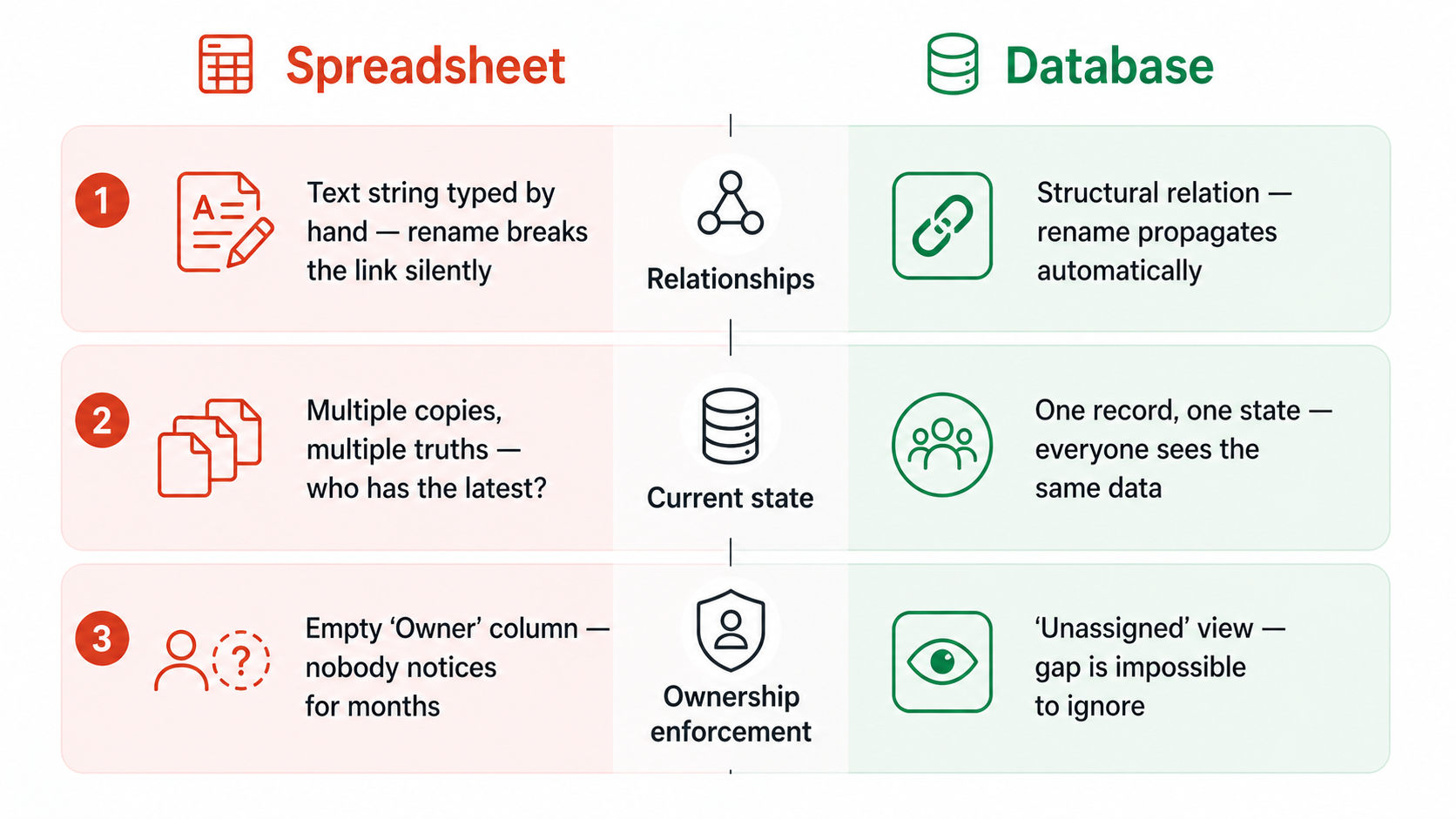
Three structural problems make spreadsheets unreliable for operations:
1. No enforced relationships.
In a spreadsheet, the connection between a client, a project, and a task is a text string someone typed. Rename the client, and the link breaks silently. In a database, a relation is a structural connection — rename the client, and every linked project still points to the right place.
2. No single current state.
Spreadsheets get copied. Someone downloads a version on Tuesday, edits it offline, and uploads it Thursday. Now there are two truths. In a database, there's one record. Everyone sees the same state.
3. No ownership enforcement.
A spreadsheet row doesn't enforce that someone is assigned. A column labeled "Owner" can be empty for months without triggering a warning. A database view filtered to "tasks with no assignee" makes the gap impossible to ignore.
The team in this case — a 15-person professional services company — used spreadsheets for everything: project tracking, client management, a sales pipeline, and a financial overview.
We replaced:
We did NOT replace:
The principle: use databases for operational data that needs to be current and shared. Use spreadsheets for analytical data that needs to be flexible and calculated.
In the spreadsheet, the "Owner" column was optional and often empty. In the database, the "Unassigned" view surfaced every project and task without an owner. Within two weeks, nothing was unowned — because the gap was visible every Monday.
The behavioral shift: people stopped assuming "someone will handle it" because the system made the assumption visible.
In the spreadsheet, knowing the status of a project required asking someone. The spreadsheet might say "In progress" but that could mean anything from "we started yesterday" to "it's been stuck for three weeks."
In the database, status was enforced by views:
The weekly meeting dropped from 60 minutes of status updates to 20 minutes of decisions — because the status was already visible before the meeting started.
The spreadsheet "dashboard" was a tab with charts that pulled from other tabs. When someone added a row in the wrong format, the chart broke. When someone forgot to update a status, the chart lied.
The database views were always current because they queried live data. "Active projects by owner" was always accurate because it filtered on Status = Active — no manual chart maintenance required.
This didn't make reporting sophisticated. It made reporting reliable. And reliable beats sophisticated every time.
The spreadsheet era had no natural place for process documentation. How to onboard a new client, how to run a project kickoff, how to handle a scope change — this was all in people's heads.
The Knowledge Base database gave each process a home: an SOP with an owner, a type, and a validation status. When someone asked "how do we do X?", the answer was a link, not a 20-minute explanation.
If you want to replace operational spreadsheets without building a complex monster — book a call to discuss a structured migration.


.jpg)
.jpg)